
A Complete Beginner’s Guide to Product Selection, Link Creation, Placement, Disclosure, and Tracking
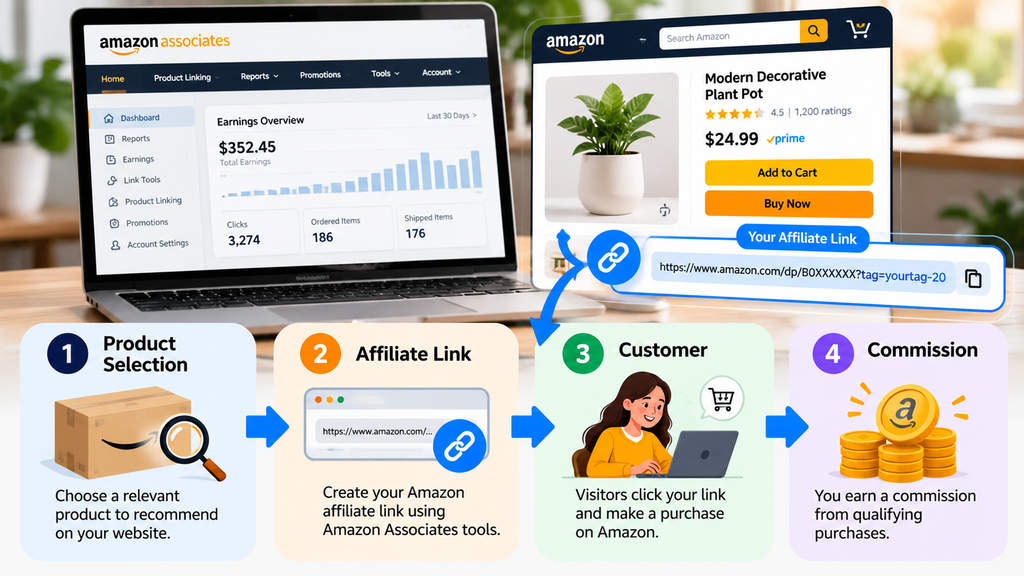
Creating your first Amazon affiliate link is one of the simplest practical steps in affiliate marketing, but it can feel confusing when you are new to Amazon Associates. The dashboard contains reports, tracking IDs, link tools, account settings, and performance data, so it is easy to wonder where to begin. The good news is that the core process is straightforward: choose a relevant product, create a trackable affiliate link, place it naturally inside helpful content, disclose the relationship clearly, and monitor what happens after publication.
This guide walks you through that process step by step. It is designed for beginners who want a professional system rather than a page filled with random product links. You will learn how to choose products that match your audience, create links using Amazon’s official tools, decide where links should appear, avoid common mistakes, and build a content strategy that can grow over time. By the end, you will know exactly what to publish and where your product links belong.
Your First Amazon Affiliate Link Is Easier Than You Think
Many beginners assume affiliate marketing requires advanced technical knowledge. In reality, the link itself is only a tool. The value comes from the content around it. Readers click when a recommendation appears naturally inside an article that answers a question, solves a problem, explains an option, or helps them make a more informed decision.
Choose a Product → Create the Link → Add Useful Context → Publish → Track Results
“A good affiliate link does not replace useful content. It connects useful content to a relevant product.”
What Is an Amazon Affiliate Link?
An Amazon affiliate link is a special tracking URL generated through Amazon Associates. When a reader clicks it, Amazon can associate that referral activity with your Associates account. If the visitor later completes a qualifying purchase under the program’s current terms, you may earn an advertising fee or commission. A normal product URL can take a visitor to Amazon, but you should not assume it contains your tracking information. Use Amazon’s official Associates link tools so the referral can be attributed correctly.
Step 1: Choose the Right Product to Promote
Start with the reader, not with the commission. The product should fit the topic of the article and the needs of the audience. A home-decor article could naturally recommend wall art, lamps, decorative storage, mirrors, or small furnishings. A children’s education article might feature activity books, drawing materials, school supplies, or learning tools. Relevance makes the recommendation feel helpful rather than forced.
Ask these four questions before you add a product
- Is the product directly relevant to the reader and the article topic?
- Does it solve a real problem, save time, improve convenience, or meet a clear need?
- Can I explain why the product may be useful without exaggerating its benefits?
- Would I still mention this product if there were no commission involved?

Step 2: Sign In to Amazon Associates
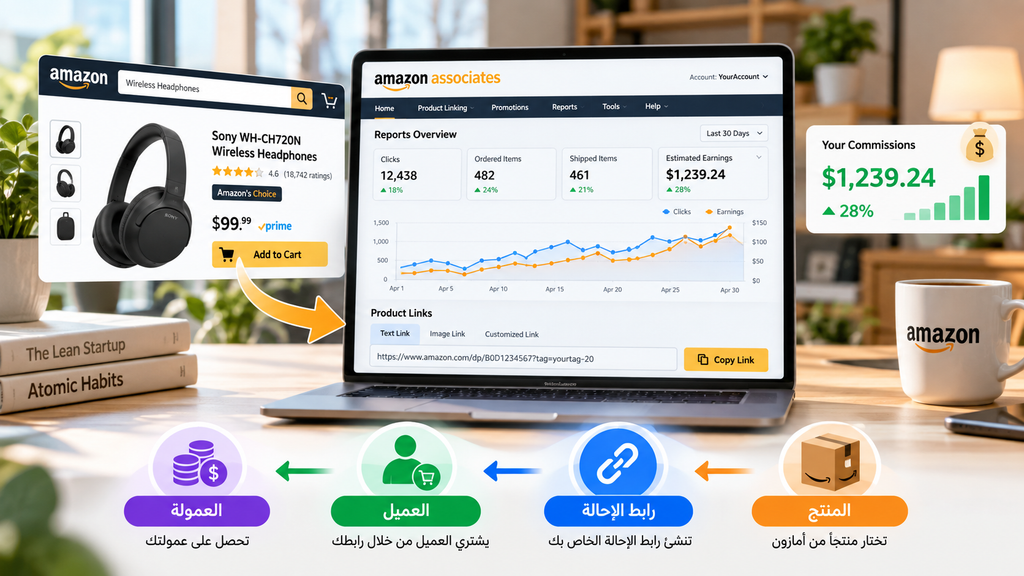
After choosing the product, sign in to the Amazon Associates account connected to the marketplace you use. The interface can change over time, but you will generally find tools related to product linking, reports, tracking IDs, promotions, and account settings. Do not worry if your screen looks different from an older tutorial. Focus on the function you need: creating a trackable link and later reviewing its performance.
Step 3: Find the Exact Product You Want to Recommend
Search for the exact product you plan to discuss. Check the product name, brand, model, size, color, material, variation, and intended use. Accuracy is important because a reader may arrive expecting the exact item you described. If you mention a particular size, color, or feature, make sure the linked product page supports that information. Availability and product details can change, so avoid wording that implies a product will always remain identical or in stock.
OPSEAM 3D Butterfly Wall Decor Butterfly Decorations Stickers with Magnets
24 PCS Colorful,12 Styles Double Layer Butterfly for Classroom Decoration,Locker Refrigerator, Reusable,Waterproof

Step 4: Create Your Amazon Affiliate Link
Once you have the product, generate the affiliate URL using the tools available in your Associates account. Depending on your marketplace and account interface, link creation may be available while browsing Amazon or through the Associates dashboard. The important point is to generate the link through an official Associates tool so it is connected to your account.
For blog content, a descriptive text link is often enough. Instead of a vague phrase such as “Click here,” tell the reader what they will see after clicking. Clear anchor text improves usability and makes the recommendation feel more professional.

Bring the quiet beauty of nature into your home with XIGUANGART Misty Forest Canvas Wall Art. Featuring a misty woodland landscape in a watercolor style with a black frame, this artwork adds a peaceful focal point to your living room, bedroom, or home office. Complement farmhouse interiors or soften a modern space with its nature-inspired design. https://amzn.to/4hdv7pM

Add nature-inspired charm to your walls with three resin butterflies featuring an antique copper finish and a sculptural 3D design.
Step 5: Organize Your Affiliate Links
If you plan to publish regularly, organize your links from the beginning. A simple spreadsheet can record the article title, product, category, affiliate link, date added, and any tracking ID you use. This becomes valuable when a product is discontinued, a recommendation needs updating, or you want to understand which article generated the most clicks.
| Article | Product | Category | Affiliate Link | Date Added |
| Living Room Décor Guide | Wall Art | Home Décor | [LINK] | [DATE] |
| Kids Drawing Guide | Drawing Book | Education | [LINK] | [DATE] |
| Home Office Ideas | Desk Organizer | Office | [LINK] | [DATE] |
Step 6: Add the Link Naturally Inside Your Blog Post
A link should appear where it helps the reader take the next logical step. For example, after explaining why a particular wall-art style may work in a modern living room, you could write: “If you want to compare the available sizes and finishes, check the current product details on Amazon.” This sentence gives the reader a reason to click. Avoid placing a link in every paragraph or repeating aggressive calls such as “Buy now!” when the reader has not been given enough context.
check the current products details on Amazon” into your affiliate link.



5D Cat Special Shape Diamond Art Kits for Adults,DIY Diamond Painting Kits https://amzn.to/46QY98J
DAZONGE Creepy Hands Halloween Wall Decor – 3 Hands with Candles. https://amzn.to/4yYa5Bn
Create vibrant, nature-inspired artwork with this colorful tree diamond painting kit for adults and beginners. Enjoy a sparkling DIY project to complete at your own pace and display in your home. https://amzn.to/4hZztjB
Where Should You Place Amazon Affiliate Links?
Affiliate links can appear naturally in several content formats. The correct placement depends on the reader’s intent and the point at which the product becomes relevant.
Product reviews
Place the link after you have explained what the product is, who it may suit, and any important limitations. A contextual phrase such as “View the product on Amazon” is usually clearer than a generic button with no explanation.
Buying guides
A buying guide can recommend several products for different needs. Link each product close to the paragraph where you explain it, rather than grouping all links at the very end.
Tutorials and how-to articles
If the reader needs a tool, book, or supply to complete the tutorial, introduce the affiliate link at the step where that item becomes useful.
Comparison articles
When comparing products, keep the comparison factual and explain what differs. Give each product its own link so the reader can review the current listing directly.
Write for People Before You Write for Commissions
Readers usually arrive because they have a question. They may want to know which wall decoration fits a small living room, which drawing book suits a child, which desk accessory can improve a home office, or which planner can help organize a busy week. Answer the question first. Then, if a product genuinely supports the solution, introduce it. Strong affiliate content explains features, limitations, use cases, alternatives, buying considerations, and practical advice. The link should support that information rather than replace it.
Affiliate marketing works best when the reader remembers the advice — not the affiliate link.”
Use Affiliate Disclosures Clearly
Transparency is essential. Readers should know when a commercial relationship exists. Keep a clear disclosure near the top of the article before affiliate links appear. You can also repeat a short disclosure near a product section when appropriate. Because Amazon can change its program terms, review the current Associates Operating Agreement and disclosure requirements for the marketplace connected to your account before publishing or updating your article.
Be Careful With Prices, Availability, and Product Claims
Amazon prices and availability can change frequently. Avoid manually publishing a fixed price unless your method complies with Amazon’s current requirements and keeps the information accurate. Phrases such as “Check the latest price on Amazon” or “See current availability” are often more practical. The same caution applies to ratings, discounts, shipping promises, and product variations. Never imply that information is permanent when it can change.

Descendents – Official Merchandise – Day of The Dork T-Shirt Small. https://amzn.to/3W1m96C
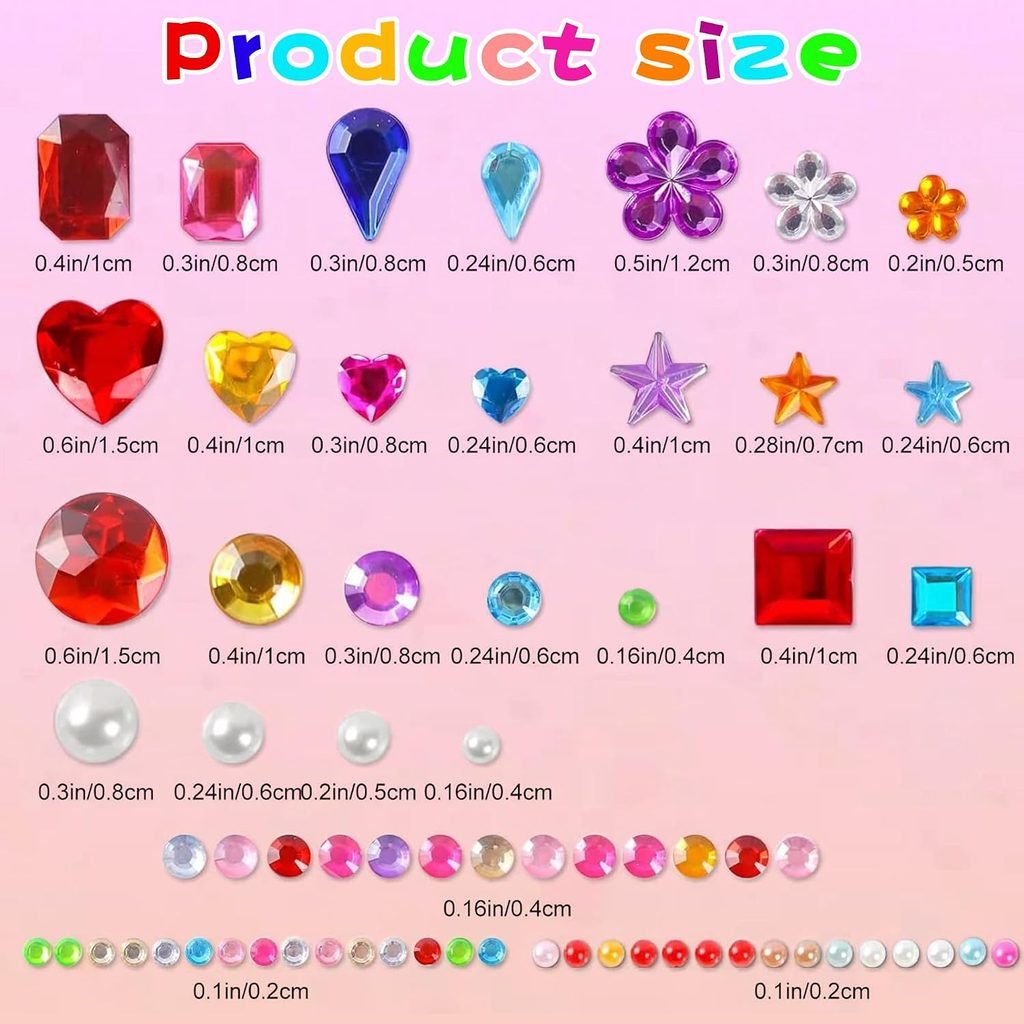
Stocking Stuffers,3528PCS Gem Stickers,Scrapbook Supplies Rhinestones Craft. https://amzn.to/4dPZQqF
Test Every Link Before You Publish
Before publishing, click every affiliate link yourself. Confirm that it opens the intended product, works on mobile, points to the correct variation, and is surrounded by accurate text. Also check that your affiliate disclosure is visible before the first monetized link. A broken or misleading link creates a poor user experience and can reduce trust.
- The link opens successfully.
- It leads to the intended product or relevant Amazon page.
- The product variation matches your description.
- The link works on desktop and mobile.
- The affiliate disclosure is visible.
- The anchor text explains what the reader will see.
Turn One Link Into a Complete Content Strategy
Your first link should be the beginning of a content system, not a one-off promotion. Build related articles around questions your audience already asks. A main guide on Amazon affiliate marketing can link to supporting posts on creating links, promoting affiliate content, choosing products, avoiding mistakes, and using SEO. Internal links help readers continue learning and give your website a clearer topical structure.
Keep Building Your Affiliate Marketing Skills
Created your first affiliate link? Take the next step: learn how to choose relevant products, write helpful reviews, and add links naturally to your blog.
Start with our Amazon Affiliate Marketing for Beginners guide, then explore the tutorials below:
• How to Choose Amazon Affiliate Products for Your Blog
• How to Write a Helpful Affiliate Product Review
• How to Add Affiliate Links to Your WordPress Bloghttps://pixelpressdesign.net/
Common Amazon Affiliate Mistakes to Avoid
1. Promoting random products
Choose products that match the article and audience. Relevance matters more than quantity.
2. Adding too many affiliate links
More links do not automatically create more commissions. Excessive links can make the page feel promotional.
3. Hiding the disclosure
Keep the commercial relationship clear and easy to notice.
4. Copying product information without adding value
Your article should provide original context, explanations, comparisons, or practical guidance.
5. Using misleading calls to action
Avoid false urgency, unsupported claims, or language that pressures readers.
6. Ignoring mobile users
Buttons, links, images, and tables should remain usable on smaller screens.
7. Forgetting to update older articles
Products can disappear, change, or become less relevant. Review important affiliate pages periodically.
8. Ignoring current program rules
Amazon Associates policies can change, so check official requirements periodically rather than relying only on old tutorials.
A Simple Beginner Workflow
- Find a real problem or question your audience wants to solve.
- Write a useful article that answers that question clearly.
- Choose one to three products that genuinely fit the solution.
- Generate the affiliate links using Amazon’s official Associates tools.
- Insert the links naturally close to the relevant product discussion.
- Add a clear affiliate disclosure before the first affiliate link.
- Optimize the article for useful search terms and reader intent.
- Publish and check the article on desktop and mobile.
- Promote the article through your approved traffic channels.
- Review clicks and performance, then improve the article over time.
Frequently Asked Questions About Amazon Affiliate Links
What is an Amazon affiliate link?
It is a trackable URL generated through Amazon Associates that can associate eligible referral activity with your affiliate account.
How do I create my first Amazon affiliate link?
Sign in to Amazon Associates, choose a relevant product, use the available official link-generation tools, copy the generated link, and add it naturally to approved content.
Can I use a normal Amazon product URL?
Do not assume a standard Amazon URL contains your affiliate tracking information. Generate links through the official tools available to your Associates account.
Do I need to disclose affiliate links?
Yes. Affiliate relationships should be disclosed clearly, and you should follow Amazon’s current disclosure and identification requirements.
How many affiliate links should I use in one article?
There is no universal ideal number. Use only as many as genuinely help the reader. A long article may need only a few well-placed contextual links.
Can I use Amazon affiliate links on social media?
That depends on Amazon’s current rules, the marketplace, and the promotional properties approved for your account. Check the current requirements before using a new channel.
Can I shorten an Amazon affiliate link?
Use only link formats or shortening methods permitted by the current Associates rules.
How much can I earn from an Amazon affiliate link?
There is no guaranteed amount. Results depend on traffic, customer intent, qualifying purchases, product category, and Amazon’s current commission structure.
What should I do if the product becomes unavailable?
Review important affiliate pages periodically and replace or update recommendations that are no longer useful or available.
Should I display Amazon prices on my website?
Because prices can change, be careful about manually displaying fixed prices. Use methods that comply with current Amazon requirements and keep information accurate.
Final Thoughts
Creating your first Amazon affiliate link is a small technical step, but it can become the foundation of a larger content strategy. Start with one useful article and one relevant product. Create the link correctly, disclose the relationship clearly, and make the reader’s needs the priority. Then repeat the process with related topics and products. Over time, your website can develop from a collection of individual posts into a useful resource that connects readers with products that genuinely fit what they are searching for.